I Didn't Know Python Had This Many Ways to Write the Same Number

A dedicated Computer Engineering graduate from SCET. Throughout my academic journey, I navigated the dynamic landscape of education during the challenging Covid era, which instilled in me resilience and adaptability. My experience in the field of Data Engineering spans across Transact SQL, MS SQL Server, Agile Methodologies, and a foundational understanding of Azure Data Factory and various cloud services. These experiences have not only honed my technical acumen but also reinforced my capacity to thrive in diverse and evolving environments.
My current pursuits reflect a keen interest in expanding my knowledge in both DevOps and Cloud Engineering. Alongside these technical endeavors, I'm fervently learning Full Stack Web Development from the ground up, eager to explore the intricate interplay of front-end and back-end systems.
Embracing a holistic approach to problem-solving, I'm delving into the intricacies of System Design, striving to develop comprehensive and efficient solutions within the IT industry. Building on approximately 6 months to 1-year of hands-on industry experience, I'm driven to continuously enhance my skill set, contributing meaningfully to the technological landscape.
Beyond the realms of technology, I find solace in capturing the ephemeral beauty of sunsets through photography, letting the time freeze those breathtaking moments. Music is my constant companion, offering relaxation and inspiration. As an avid cricket enthusiast, the game brings camaraderie and excitement.
I'm always open to connecting with fellow professionals, learning from shared experiences, and contributing to the ever-evolving tech sphere. Let's connect and explore the limitless possibilities together!
So far, every value I've written has looked pretty ordinary: 2, "Hello", True. Turns out there's a formal name for these, and Python gives you a surprising number of different ways to write them.
Term check: literal A literal is the actual value stored in a variable. In
a = 2,ais the variable,=is the operator, and2is the literal. Whatever raw value you're assigning, that's the literal.
This post is a tour through the different forms literals can take in Python, some of which I genuinely didn't know existed until working through this video.
Numeric literals: four ways to write the same number
Beyond the plain decimal numbers I've used so far, Python lets you write whole numbers in binary, octal, and hexadecimal too, and it treats them all as the exact same underlying number.
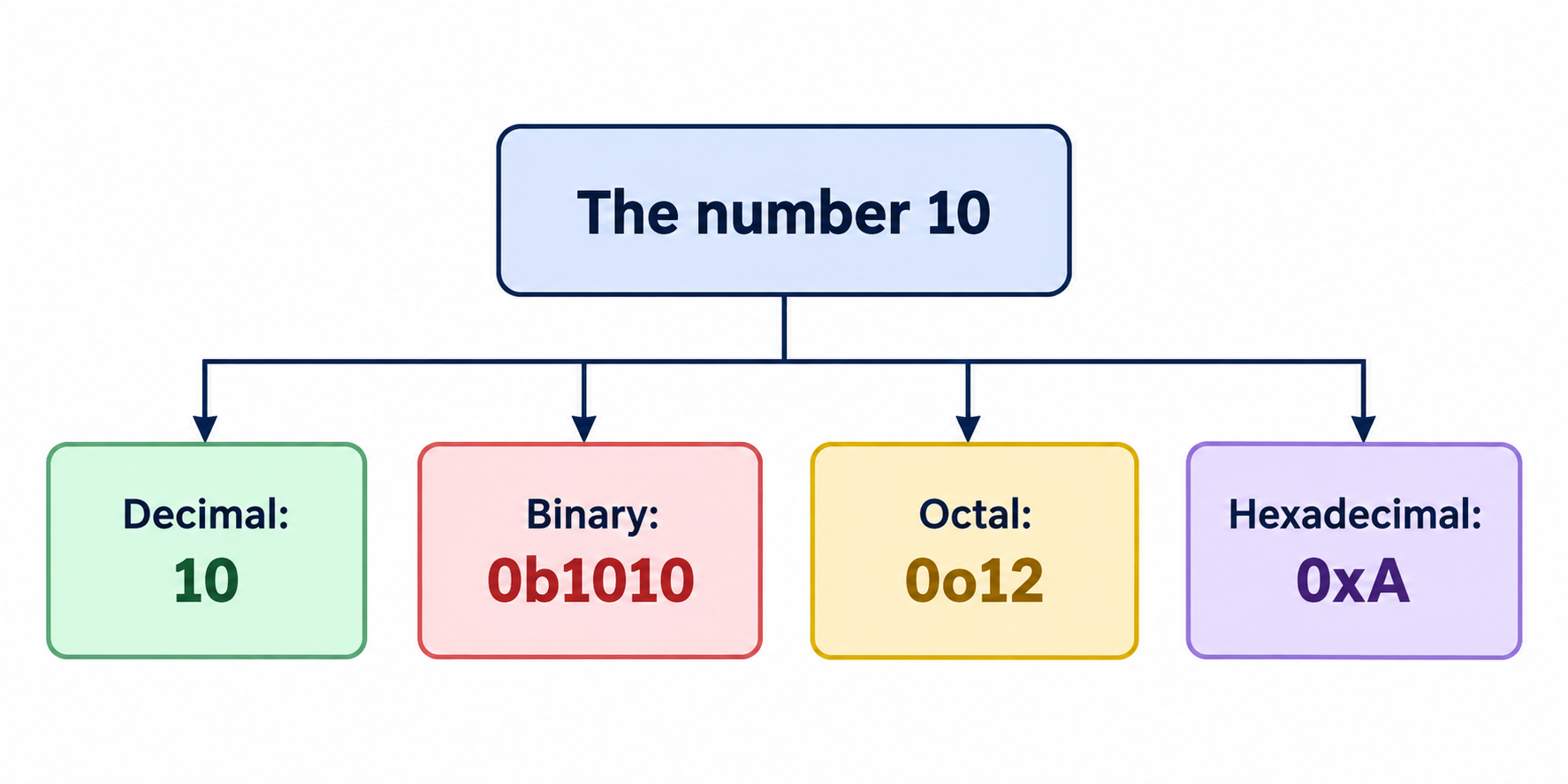
a = 0b1010   # binary literal, prefixed with 0b
b = 100      # decimal literal, the normal kind
c = 0o310    # octal literal, prefixed with 0o
d = 0x12C    # hexadecimal literal, prefixed with 0x

print(a)  # 10
print(b)  # 100
print(c)  # 200
print(d)  # 300
If you're not already comfortable with binary, octal, and hex from a digital electronics background, the main thing worth remembering is just that the prefix (0b, 0o, 0x) tells Python which number system you're writing in, and print() always shows you the plain decimal equivalent regardless of which form you used to write it.
Float literals, including scientific notation
The float literal I've used before, like 10.5, is the common form. But Python also supports scientific notation:
f1 = 10.5      # standard decimal form
f2 = 1.5e2     # means 1.5 * 10^2
f3 = 1.5e-3    # means 1.5 * 10^-3

print(f1)  # 10.5
print(f2)  # 150.0
print(f3)  # 0.0015
The e2 and e-3 are just a compact way of writing "times ten to the power of," which becomes genuinely useful once you're dealing with very large or very small numbers and don't want to type out a string of zeros.
Complex literals
x = 3.14j
print(x)          # 3.14j
print(type(x))    # <class 'complex'>
print(x.real)      # 0.0
print(x.imag)      # 3.14
A complex number object actually carries its real and imaginary parts as separate attributes you can pull out directly, .real and .imag, instead of having to parse them out yourself.
String literals, including a couple I hadn't seen before
Regular strings work in single or double quotes, no difference between them. But there are a few other forms worth knowing:
# Single or double quotes, functionally identical
s1 = 'hello'
s2 = "hello"

# Triple quotes, required for multi-line strings
info = """
My name is Darshan.
I'm learning Python.
I'm a software engineer.
"""

# Raw strings: prefix with r, and escape sequences are ignored
raw = r"this is a new line: \n, not an actual line break"
print(raw)
The triple-quote one caught me off guard. If you try to write a multi-line string with a single or double quote instead, Python throws a SyntaxError, because a single-line string literal genuinely can't span multiple lines. Triple quotes are the only way to do that.
Raw strings are the other one worth remembering: normally \n inside a string means "insert a new line here," but prefixing the string with r tells Python to treat every character literally, backslashes included, instead of interpreting them as escape sequences.
There's also Unicode support baked in, which is how things like emoji get represented as literals under the hood, though for day-to-day beginner code this is more of a "good to know it exists" than something you'll use constantly right away.
Boolean literals: True and False are secretly numbers
print(True + 4)    # 5
print(False + 10)  # 10
This one genuinely surprised me. True behaves as 1 and False behaves as 0 whenever you use them in a numeric context. It's not that Python is doing some special conversion behind the scenes, that's just what these values equal underneath.
The None literal
x = None
print(x)  # None
None represents "nothing stored here yet." In languages like C or Java, you'd typically declare a variable's type upfront even before deciding its value. Python doesn't work that way, so if you want a placeholder variable that genuinely holds nothing until later, None is how you express that, rather than leaving it undefined.
Common mistakes I'd flag here
Trying to write a multi-line string with single or double quotes instead of triple quotes, which throws a
SyntaxError.Forgetting the
rprefix on a raw string, and being confused when\nor\tget silently converted into actual line breaks or tabs instead of showing up as literal characters.Assuming
TrueandFalseare just labels rather than actual stand-ins for1and0, which matters the moment you start doing arithmetic with them.
Quick recap
A literal is the actual value assigned to a variable, as opposed to the variable name or the operator.
Whole numbers can be written in decimal, binary (
0b), octal (0o), or hexadecimal (0x), and Python treats them as identical underneath.Float literals support scientific notation (
1.5e2), useful for very large or small numbers.Complex numbers carry their real and imaginary parts as
.realand.imagattributes.Strings support single quotes, double quotes, triple quotes for multi-line text, and raw strings (
r"...") that ignore escape sequences.TrueandFalsebehave as1and0in numeric contexts, andNonerepresents an intentionally empty value.
What's next
Next up: operators, the symbols that actually let me do something with all these literals.