Why Python Turns Everything You Type Into a String
How I Learned to Undo It

A dedicated Computer Engineering graduate from SCET. Throughout my academic journey, I navigated the dynamic landscape of education during the challenging Covid era, which instilled in me resilience and adaptability. My experience in the field of Data Engineering spans across Transact SQL, MS SQL Server, Agile Methodologies, and a foundational understanding of Azure Data Factory and various cloud services. These experiences have not only honed my technical acumen but also reinforced my capacity to thrive in diverse and evolving environments.
My current pursuits reflect a keen interest in expanding my knowledge in both DevOps and Cloud Engineering. Alongside these technical endeavors, I'm fervently learning Full Stack Web Development from the ground up, eager to explore the intricate interplay of front-end and back-end systems.
Embracing a holistic approach to problem-solving, I'm delving into the intricacies of System Design, striving to develop comprehensive and efficient solutions within the IT industry. Building on approximately 6 months to 1-year of hands-on industry experience, I'm driven to continuously enhance my skill set, contributing meaningfully to the technological landscape.
Beyond the realms of technology, I find solace in capturing the ephemeral beauty of sunsets through photography, letting the time freeze those breathtaking moments. Music is my constant companion, offering relaxation and inspiration. As an avid cricket enthusiast, the game brings camaraderie and excitement.
I'm always open to connecting with fellow professionals, learning from shared experiences, and contributing to the ever-evolving tech sphere. Let's connect and explore the limitless possibilities together!
Every example I've written so far has used values I hardcoded myself: print("Hello World"), a = 7, that sort of thing. That works for learning syntax, but it's not how real software behaves. A calendar app doesn't need anything from you beyond opening it. YouTube, on the other hand, is nothing without you typing something into that search bar.
Term check: static vs dynamic application A static application (like a clock or calendar) doesn't need any input from the user to function, it just displays something. A dynamic application (like YouTube or Facebook) depends on input from the user to do anything useful. Almost everything built today falls into the second category, which is exactly why taking input properly matters.
This post covers how Python actually takes input from a user while a program is running, and a surprising catch that comes with it that I had to work through before it made sense.
Quick aside: for this section, the course switched over to Jupyter Notebook instead of Google Colab, run locally through Anaconda's prompt (cd into your project folder, then run jupyter notebook). It's the same cell-by-cell way of working as Colab, just running on your own machine instead of Google's servers. Functionally, everything below works the same regardless of which one you use.
Meet input()
Taking input from a user is one function: input().
name = input()
print(name)
Run this, type something, hit enter, and whatever you typed gets stored in name and printed back. Nothing fancy yet, but there's a small usability problem: as written, the user just sees a blank box with no idea what they're supposed to type. input() fixes that by accepting a message to display as a prompt:
name = input("Enter your name: ")
print(name)
Now the person typing actually knows what's expected of them, the same way a signup form tells you which field is which instead of leaving you guessing.
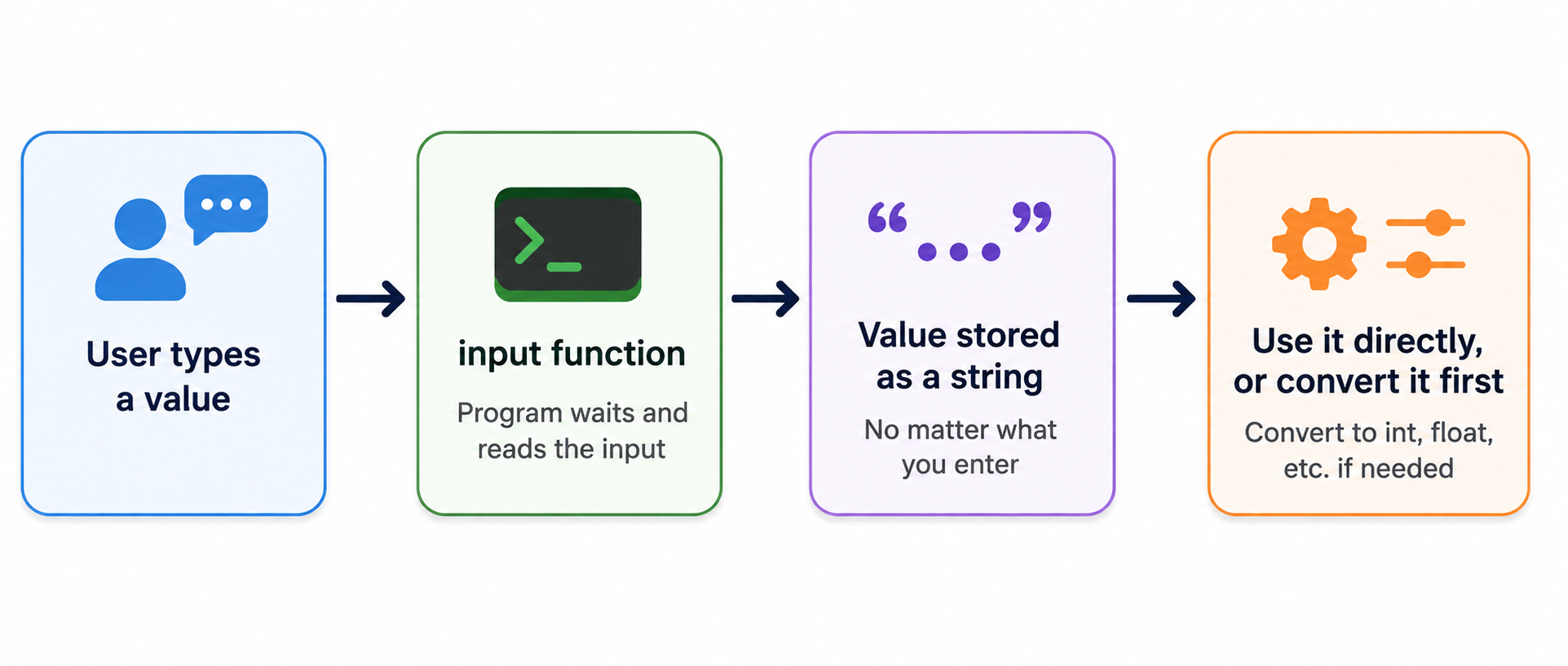
The catch: it's always a string
Here's the part that tripped me up. Type a number into input(), and you'd expect to get a number back. You don't.
age = input("Enter your age: ")
print(type(age))  # <class 'str'>, even if you typed 25
Doesn't matter if you type a whole number, a decimal, or plain text, input() converts all of it to a string by default. This isn't a bug, it's a deliberate design choice. Since input() has no way of knowing in advance whether the user is about to type a name, an age, or something else entirely, storing everything as a string is the one format that never breaks, since a string can hold any of those safely. If you actually need it as a number, that's on you to convert afterward.
Type conversion, two ways
This is where type conversion comes in, and Python actually handles it in two different situations.
Term check: implicit type conversion Conversion that Python does automatically, without you asking for it. It happens when combining compatible types, and Python decides on a sensible result type for you.
print(5 + 5.5)         # 10.5
print(type(5))         # <class 'int'>
print(type(5.5))       # <class 'float'>
print(type(5 + 5.5))   # <class 'float'>
Adding an integer and a float doesn't error out. Python quietly upgrades the result to a float, since that's the only sensible way to represent the answer without losing the decimal part. You didn't ask for that conversion, Python just did it.
Term check: explicit type conversion Conversion you trigger yourself, using functions like
int(),float(), orstr(), because Python can't or won't guess what you meant.
print(4 + "4")
# TypeError: unsupported operand type(s) for +: 'int' and 'str'
This one doesn't get an implicit pass. Adding a number to a string isn't something Python is willing to guess about, so it just errors out. Converting the string yourself fixes it:
print(4 + int("4")) # 8
The same functions work in the direction you'd expect for values coming out of input():
num = input("Enter a number: ")   # this is a string, e.g. "34"
num = int(num)
print(type(num))  # <class 'int'>

num = float(num)
print(type(num))  # <class 'float'>
One restriction worth knowing: complex numbers refuse to convert to int or float.
value = 4 + 6j
print(int(value))
# TypeError: can't convert complex to int
This makes sense once you think about it: a complex number has two separate parts (real and imaginary), so there's no single obvious number to shrink it down to. Python would rather error out than guess wrong.
Putting it together: a tiny two-number calculator
To actually use both of these ideas at once, here's a small addition calculator, taking two numbers from the user and adding them.
n1 = input("Enter the first number: ")
n2 = input("Enter the second number: ")

# both n1 and n2 are strings right now, so convert them first
n1 = float(n1)
n2 = float(n2)

result = n1 + n2
print(result)
Type 2 and 3, and you get 5.0. Type 2.3 and 3.4, and you get 5.7 (with the usual floating-point rounding noise Python sometimes tacks on). Converting to float instead of int was a deliberate choice here, since it lets the calculator handle decimal input too, not just whole numbers.
Common mistakes I'd flag here
Assuming
input()gives you back the type you expect. It's always a string, no matter what the user types.Trying to do math directly on the result of
input()without converting it first, which throws aTypeErrorthe moment you add a string to a number.Expecting implicit conversion to bail you out everywhere. It only kicks in for compatible types like int and float, not for combining numbers and plain text, and not for complex numbers at all.
Forgetting to give
input()a prompt message. A blank input box is a small thing, but it makes your program confusing to actually use.
Quick recap
Dynamic applications need user input to function, unlike static ones, and Python's
input()function is how you collect it.input()always returns a string, regardless of what the user actually types.Implicit type conversion happens automatically for compatible types (like int plus float). Explicit type conversion, using
int(),float(), or similar, is something you trigger yourself when Python won't guess for you.Complex numbers can't be converted to
intorfloat, since there's no single number that represents both their real and imaginary parts.Combining
input()withfloat()conversion is enough to build something genuinely useful, like a simple calculator.
What's next
Based on the course outline, conditional statements are up next, which should be the first time I actually get to make a program branch based on a value instead of just running top to bottom.


