Break, Continue, and Pass: The Three Ways Python Lets You Cut a Loop Short

A dedicated Computer Engineering graduate from SCET. Throughout my academic journey, I navigated the dynamic landscape of education during the challenging Covid era, which instilled in me resilience and adaptability. My experience in the field of Data Engineering spans across Transact SQL, MS SQL Server, Agile Methodologies, and a foundational understanding of Azure Data Factory and various cloud services. These experiences have not only honed my technical acumen but also reinforced my capacity to thrive in diverse and evolving environments.
My current pursuits reflect a keen interest in expanding my knowledge in both DevOps and Cloud Engineering. Alongside these technical endeavors, I'm fervently learning Full Stack Web Development from the ground up, eager to explore the intricate interplay of front-end and back-end systems.
Embracing a holistic approach to problem-solving, I'm delving into the intricacies of System Design, striving to develop comprehensive and efficient solutions within the IT industry. Building on approximately 6 months to 1-year of hands-on industry experience, I'm driven to continuously enhance my skill set, contributing meaningfully to the technological landscape.
Beyond the realms of technology, I find solace in capturing the ephemeral beauty of sunsets through photography, letting the time freeze those breathtaking moments. Music is my constant companion, offering relaxation and inspiration. As an avid cricket enthusiast, the game brings camaraderie and excitement.
I'm always open to connecting with fellow professionals, learning from shared experiences, and contributing to the ever-evolving tech sphere. Let's connect and explore the limitless possibilities together!
Sometimes a loop shouldn't run to full completion. Maybe you found what you were looking for early and want to stop. Maybe one particular value should just be skipped without stopping everything else. Python has three keywords for exactly these situations.
break: stop the loop entirely
for i in range(1, 11):
    if i == 5:
        break
    print(i)
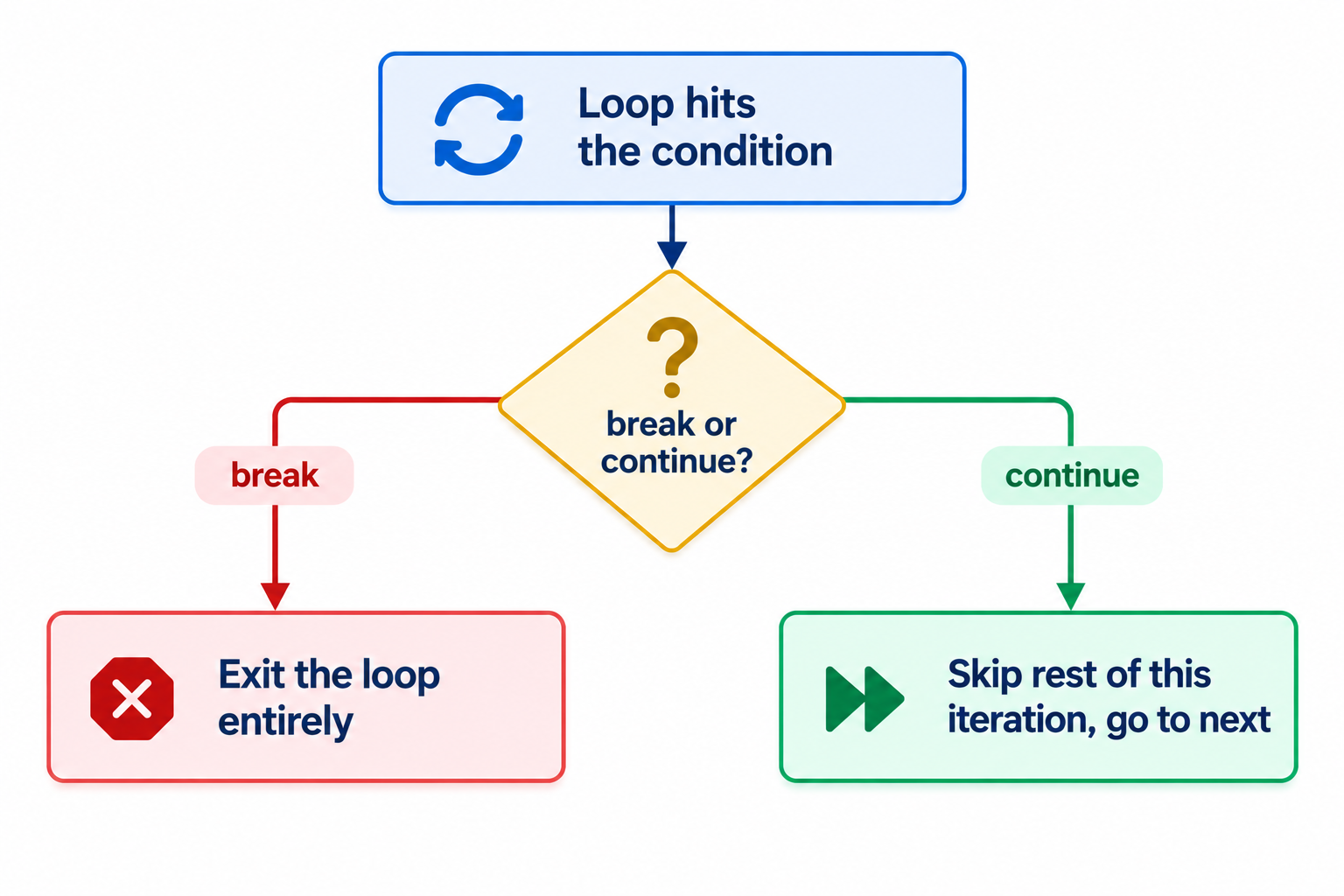
This prints 1, 2, 3, 4 and then stops completely, the moment i hits 5. Nothing after break in that loop runs again, the loop is just over.
A genuinely useful real-world shape for this: searching for something and stopping the moment you find it.
names = ["Alex", "John", "Darshan", "Priya"]

for name in names:
    if name == "Darshan":
        print("Found:", name)
        break
Once "Darshan" is found, there's no reason to keep checking the remaining names, break stops the search immediately instead of wastefully continuing through the rest of the list.
continue: skip just this one iteration
for i in range(1, 11):
    if i == 5:
        continue
    print(i)
This prints everything from 1 to 10 except 5. Unlike break, the loop doesn't stop, it just skips the rest of that one pass and moves straight to the next value.
A real-world shape for this: an e-commerce search skipping over out-of-stock products instead of stopping the whole search because one item ran out.
inventory = {"iPhone 14": 0, "iPhone 15": 3, "Galaxy S24": 0}

for product, stock in inventory.items():
    if stock == 0:
        continue
    print(product, "is available")
(Dictionaries are getting their own post later, but the continue logic here is the main point: skip this one product, keep checking the rest.)
pass: do nothing, on purpose
for i in range(1, 11):
    pass
pass doesn't skip or stop anything, it's a placeholder that does literally nothing, used when Python's syntax requires a body inside a loop, function, or conditional, but you're not ready to write that logic yet. Without something inside the block, Python throws a syntax error, so pass exists purely to keep the structure valid while you build it out later.
Exercise: finding prime numbers in a range
This one combines a nested loop, break, and the else trick from the while-loop post, just applied to a for loop this time.
lower = int(input("Enter lower bound: "))
upper = int(input("Enter upper bound: "))

for num in range(lower, upper + 1):
    for divisor in range(2, num):
        if num % divisor == 0:
            break
    else:
        print(num)
The logic: for each number in the range, try dividing it by everything from 2 up to itself. If any of those divisions comes out even (% == 0), it's not prime, and break exits the inner loop immediately. The else on the inner for loop only runs if that loop finished without ever hitting break, meaning no divisor was found, meaning the number is prime. Same for/else relationship as while/else, just on a different kind of loop.
Common mistakes I'd flag here
Mixing up
breakandcontinue.breakends the loop completely;continueonly skips the current pass and keeps going.Using
passas a permanent stand-in for logic you meant to come back to and then forgetting to, silently leaving a block that does nothing.Forgetting that a
for/elseblock'selseonly runs if the loop completed without hittingbreak, not just "after the loop ends" unconditionally.
Quick recap
breakexits a loop entirely, useful once you've found what you were looking for and don't need to keep going.continueskips just the current pass and moves to the next one, useful for filtering out specific values without stopping the whole loop.passis a no-op placeholder, keeping code syntactically valid while logic is still pending.The prime-number exercise ties
breaktogether with thefor/elsepattern: theelseonly fires ifbreakwas never triggered.
What's next
Per the course roadmap, strings are likely next now that loops are wrapped up, so that's what I'm expecting to cover.